Start-up page:
|
|
Learn Fanuc's custom macro B,
Okuma's user task 2, and Fadal's macro -- all from one course!
We've always said that
parametric programming is one of CNC's best kept secrets. While more and
more people are becoming familiar with this powerful programming tool, there are
still many in the industry that don't even know what it is, let alone how to
take advantage of its many features. At the very least, all CNC people should
know the applications for parametric programming. Better yet, they should be
able to apply this powerful tool to reduce setup time and cycle time, facilitate
CNC machine utilization, make programming easier, and in general, make their CNC
machines easier to work with!
In this comprehensive course, you'll learn what
parametric programming is, it's five application categories, its features, and
how to apply it. An ample supply of examples is given for all application
categories.
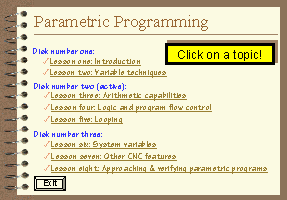
Lessons:
- Introduction to parametric programming (30
min)
- Variable techniques (2 hrs, 36 min)
- Arithmetic capabilities (1hr, 4 min)
- Logic and program flow control (1 hr, 33
min)
- Generating loops (48 min)
- System variables (1 hr, 44 min)
- Other CNC features of parametric programming
(55 min)
- Approaching and verifying parametric
programs (22 min)
Click here to see
complete outline
Instruction methods:
While we assume you have a good understanding
of standard G-code-level manual programming as you begin this course, we assume
nothing about your current knowledge about parametric
programming. So when it comes to parametric programming, we start from
scratch. While an elementary understanding of computer programming helps, we
don't assume you have computer programming experience.
This course covers three very popular versions
of parametric programming. Fanuc's custom macro B is by far the most popular
version, and is the version of parametric programming being used by any control
manufacturer claiming to be Fanuc-compatible (Yasnac, Haas, Mitsubishi,
Mazatrol's eia, Seikos, among others). But even if you don't have Fanuc
controls, this course also includes presentations for Okuma's user task 2 and
Fadal's macro. Over 80% of CNC machines used today are covered by this course!
Due to the interactive nature of computer based training, you can easily view
just the presentations you're interested in and skip those you're not.
All presentations are applications based. Each
step of the way, we show real-world applications that you can easily adapt to
your specific needs. There are plenty of examples and we stress the reasons why
features are available as well as how they can help you (compare this your
control manufacturer's descriptions in their programming manual).
Why Microsoft PowerPoint?
All presentations have been developed using
Microsoft PowerPoint for Windows 95/98, which is fast becoming the industry
standard for computer generated presentations. We use the freely distributed
PowerPoint Viewer to display all presentations. PowerPoint Viewer is included.
System requirements: You must have a multimedia
computer with Windows 95 or above and a minimum of 64 megs of internal memory to
run the courseware
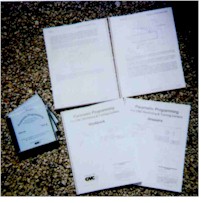
Course Includes:
- Presented by Mike Lynch
- Courseware on 3 CD ROM disks
- 8 lessons totaling 9.5 hours of presentation
- All computer generated graphics and
animations
- Presented in Microsoft PowerPoint
- Easy navigation
- 240
pg student manual
- Workbook containing eight exercises and
sixteen programming activities
- Answer book
- 1-year subscription to The
Optional Stop newsletter
- Free phone assistance


 Click
for details
Click
for details